Health
We are actively working to improve this documentation. The content you see here may be incomplete, subject to change, or may not fully reflect the current state of the feature. We appreciate your understanding as we continue to enhance our docs.
The health plugin informs users of conditions that may affect their sites. For instance, you may want to inform users when a site does not have a homepage or when there are users who do not have roles assigned. Conditions are hard-coded by project developers to meet the needs of that project.
Once a condition occurs, users may receive a notification, see the alert posted on the Alerts widget on their dashboard, or see a banner message across the top of the Brightspot interface, depending on the severity of the condition.
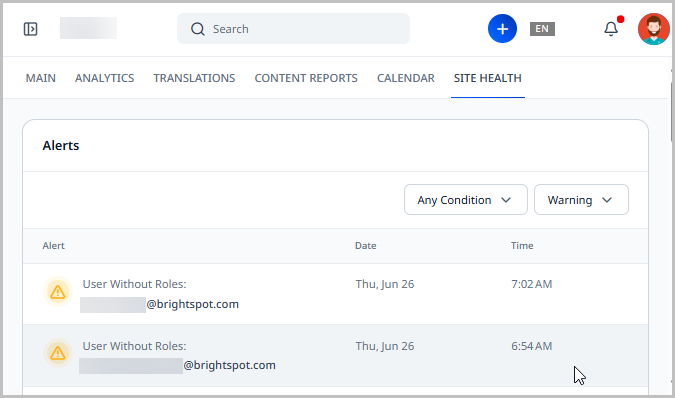
Configuring conditions
Conditions and their severity levels are hard-coded by project developers into a site. Conditions may vary from project to project.
To configure conditions:
The conditions used here are those that were pre-configured on a sample site.
- From the left navigation, under Admin, click Conditions.
-
From the Conditions list, select the condition you want to configure.
-
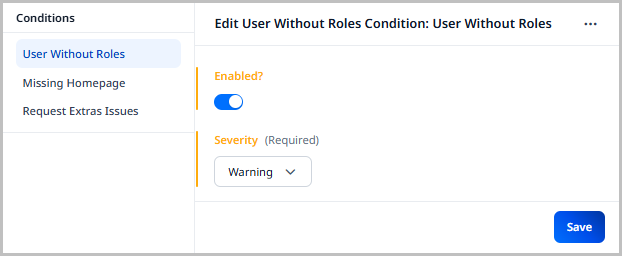
Toggle Enabled to enable this condition for monitoring.
-
In the Severity field, select the severity level you want to associate with this condition. This determines how users are notified when the condition occurs.
-
Error—An error is the highest severity level for a condition. When a condition reaches an
Errorstate, it results in:-
The automatic display of a banner message on every page in Brightspot.
-
An
Errorflag within the Alerts widget. -
A notification sent to users who have subscribed to receive
Errornotifications.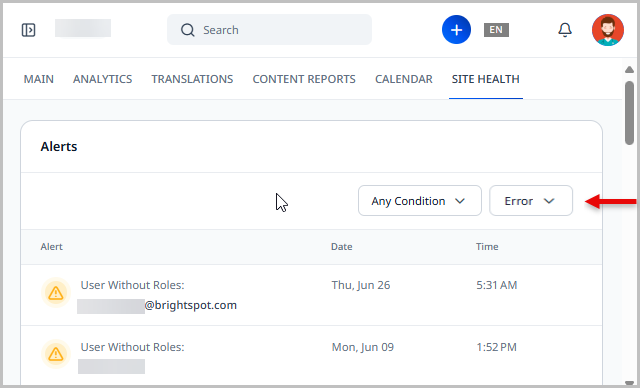
-
NoteErrors cannot be dismissed. They are only removed or updated when the underlying condition is resolved.
-
Warning—A warning is the second-highest severity level for a condition. When a condition reaches a
Warningstate, it results in:-
A
Warningflag within the Alerts widget. -
A notification sent to users who have subscribed to receive
Warningnotifications.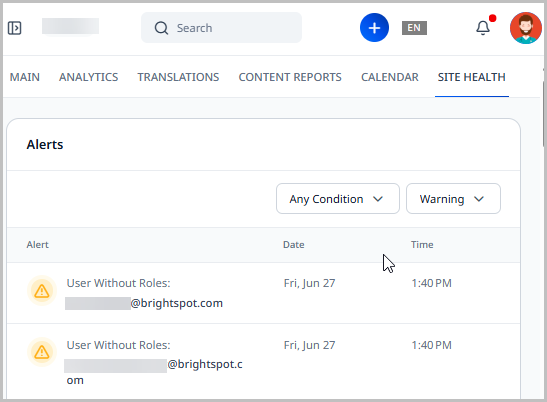 Note
NoteWarnings can be dismissed. They are also automatically removed when the underlying condition is resolved.
-
-
Suggestion—A suggestion is the lowest severity level for a condition. When a condition reaches a
Suggestionstate, it results in:-
Suggestions display in the Alerts widget and are labeled as
Suggestions. -
A notification sent to users who have subscribed to receiving
Suggestionnotifications.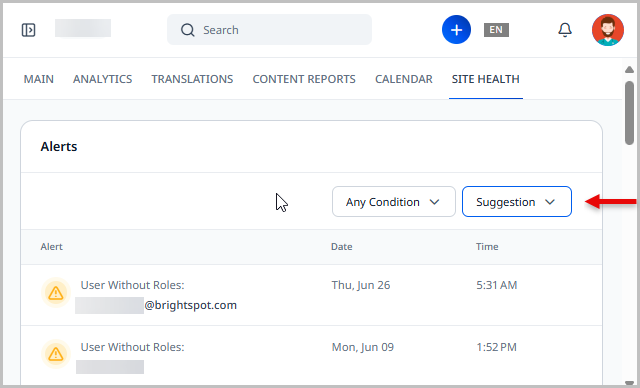 Note
NoteSuggestions can be dismissed or ignored in the Alerts widget.
-
-
-
Click Save.
Alerts widget
The Alerts widget can be added to a dashboard. This widget displays notifications triggered by conditions set up on your site.
For more information on adding the Alerts widget to a dashboard, see Dashboards.
The Alerts widget has two filters:
- Condition—Allows you to select the specific condition for which you would like to see alerts. Retaining Any Condition shows all alerts matching the selected severity level.
- Severity—Allows you to filter the condition results to show only the severity you are interested in. For instance, if you only want to see conditions with an
Errorseverity, you can select Error from this filter.
You can also select how many rows of conditions you want to see in the Alerts widget by modifying the Show option in the upper-right corner of the widget.
Clicking an alert opens the edit page for the subject of that condition.